
Monitoring method

How CashFlowCanary follows a WooCommerce checkout.

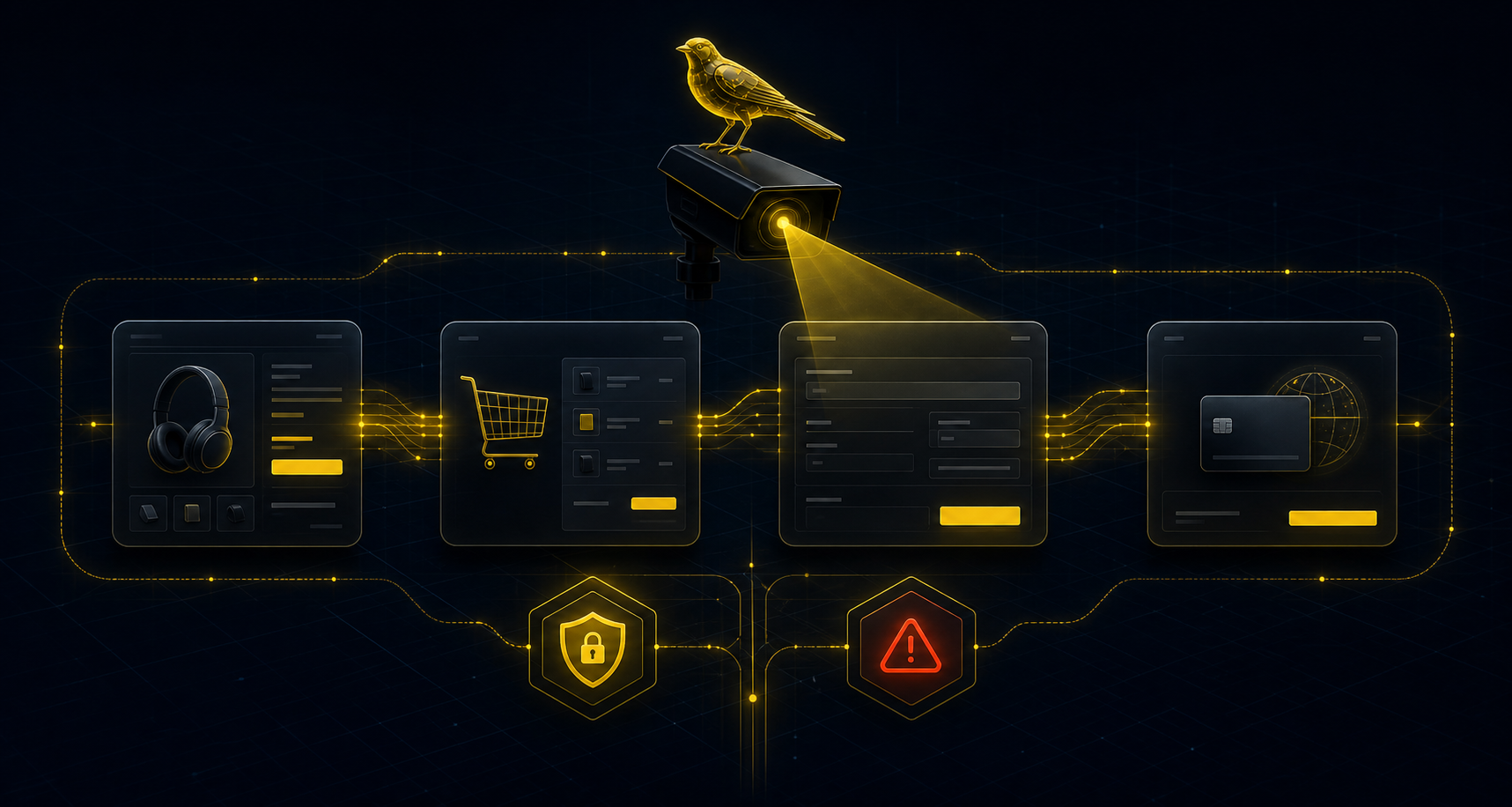
CashFlowCanary observes product, cart, checkout, payment and confirmation to produce a reliable signal, a priority and usable proof.

Observed funnel

We do not only monitor whether the site responds.

A site can stay online while the cart empties, payment disappears or confirmation fails. CashFlowCanary separates availability from synthetic journeys.

  • Product, cart, checkout and payment pages
  • Detection of buyer-visible blockers
  • Return to green confirmed after correction
Abstract CashFlowCanary WooCommerce checkout monitoring flow

Two levels of control

The cadence depends on the offer, but the logic stays the same: a lightweight signal continuously, then richer proof when a critical step degrades.

Stateless checks

They read key pages without creating an order: product, cart, checkout, payment signals, HTTP codes, expected content, latency and visible errors.

Synthetic journey

It follows a bounded test scenario to verify that the funnel progresses. It stores no card, collects no buyer and is designed to avoid persistent effects.

Prioritisation

A problem on an informational page does not carry the same weight as a payment failure. The verdict highlights what can block revenue.

Incident anti-spam

When an automatic report is sent for a breakage, CashFlowCanary does not send another until checks turn green again. A manual client send remains possible.

1. Selecting pages to monitor

Monitoring starts from the pages that move a sale forward: a representative product page, cart, checkout, payment step and confirmation signal. URLs are attached to the configured site, not hardcoded into tests.

2. Fast non-mutating read

Stateless checks verify that pages respond, expected content exists, payment methods are not missing and known errors do not block the funnel. These checks run without creating an account, placing an order or collecting customer data.

3. Bounded synthetic journey

When the offer allows it, a synthetic journey verifies that WooCommerce lets a test scenario progress toward expected signals. The purpose is to prove the failure or the return to green, not to make a real purchase.

4. Opening an incident

An incident opens when the breakage affects a useful step: unexpectedly empty cart, unreachable checkout, missing payment, validation error or absent confirmation. The report keeps the error class, step, timestamp and filtered technical elements.

5. Alerts and proof

The alert summarises what is broken and what to check. Proof can be shared as cockpit view, read-only link or PDF depending on the offer. Secrets, cards, buyer emails, addresses and detailed cart contents are excluded.

6. Return to green

When checks turn green again, the incident can be closed and before/after proof shows the correction was verified. CashFlowCanary does not automatically fix the site: it provides the signal, proof and next action.

What CashFlowCanary does not do

No payment terminal

CashFlowCanary billing stays separate from the monitored checkout. The WooCommerce plugin does not become a payment gateway for your customers.

No buyer data

Proof is minimised: no card, no customer email, no address, no named cart contents and no full payload in logs.

No automatic fix

The service detects, prioritises, alerts and proves. The fix remains with your team, agency or technical provider.