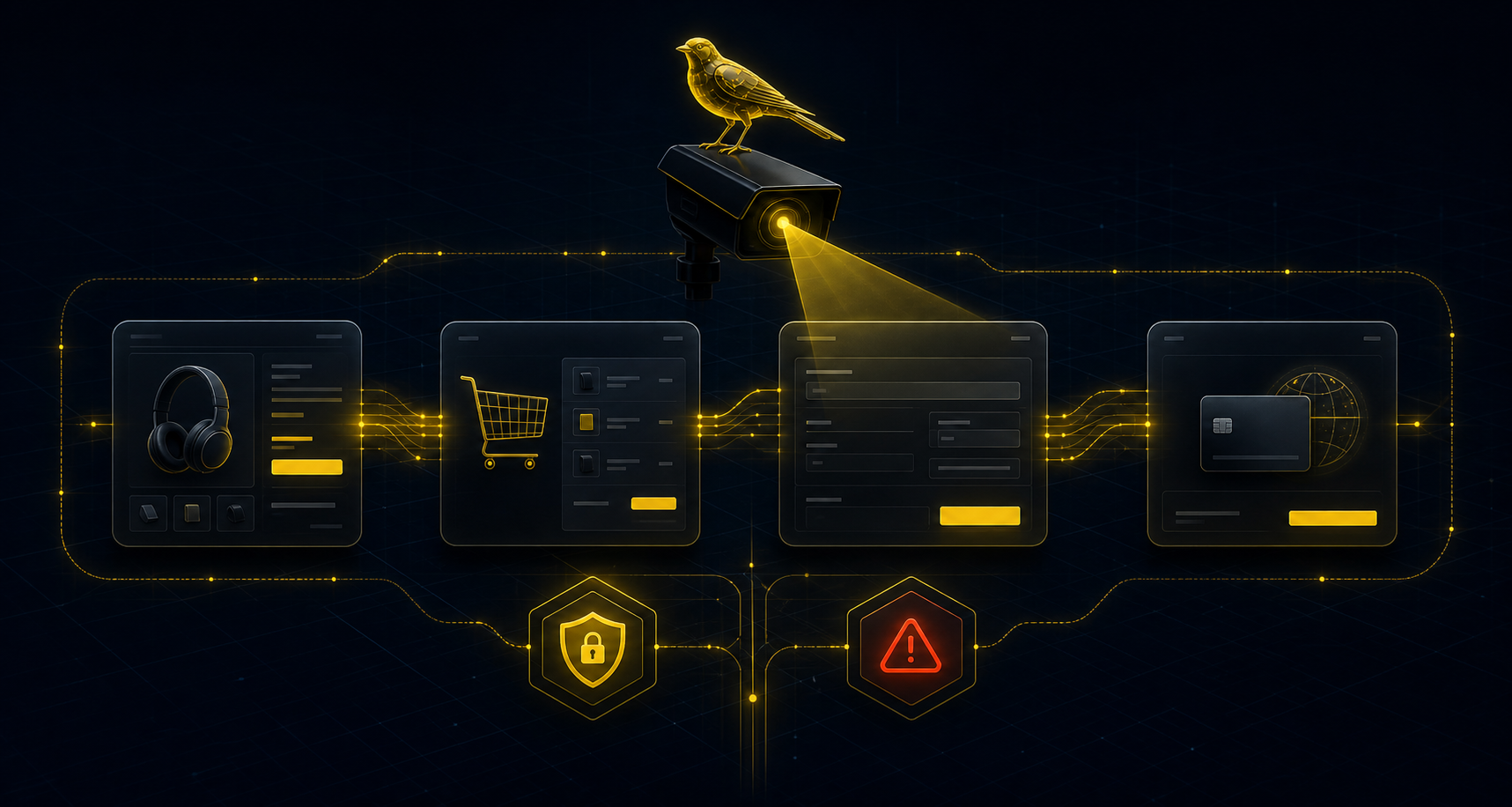
Simple definition
A broken checkout is a purchase-path failure that blocks or degrades orders. In WooCommerce, a broken checkout can come from the cart button, session, shipping step, payment method, redirect, cache layer or plugin conflict.
Broken checkout symptoms
The exact phrase matters because merchants often search for "broken checkout" only after sales have stopped and uptime still looks green. CashFlowCanary treats that query as an incident intent, not a generic ecommerce article.
Signals to watch
- Add-to-cart button missing, inactive or producing no observable effect.
- Cart emptied between product page, cart and checkout.
- Checkout visible but form incomplete, blocked or redirected.
- Payment method missing, global refusal, gateway error or validation impossible.
- Confirmation page never reached on a controlled synthetic journey.
Why a ping is not enough
An uptime tool may confirm that a page returns HTTP 200. It does not prove the site still sells. To know whether checkout collects revenue, monitor the steps that actually create a sale: product, cart, checkout, payment and confirmation depending on coverage.
What useful proof should contain
Proof should be readable by business teams and actionable for developers: timestamp, affected page, expected step, observed signal, likely impact, priority and next action. It should not expose customer data, WooCommerce secrets or sensitive screenshots.
First operational response
When the signal appears, avoid both traps: ignoring the issue because the site responds, or sending an alert without context. CashFlowCanary turns the signal into an incident, connects proof and keeps it open until checks return green.
Search intents covered
Searches around a broken checkout do not always name the same symptom. A merchant may search for "checkout not working", an agency may say "broken checkout", and a WooCommerce developer may diagnose an empty cart, inactive add-to-cart button, missing payment method or blocked 3DS step.
CashFlowCanary maps these phrases to observable signal families. The goal is not keyword stuffing; it is to answer each intent clearly: understand the failure, find proof and prioritise the fix.
Broken checkout evidence map
Use this map to connect each search phrase to the checkout signal that must be proven before a safe fix is attempted.
- Broken WooCommerce checkout: verify product, cart, checkout, payment and confirmation as one buyer journey.
- Broken checkout: separate a page that loads from a checkout path that can actually create orders.
- WooCommerce checkout not working: identify the first missing signal before changing plugins or gateway settings.
- WooCommerce checkout failure: classify whether the failure is cart state, validation, payment, Store API, timeout or confirmation.
- Checkout conversion incident: connect the technical failure to no-order periods, abandonment and likely revenue exposure.
That evidence map keeps the page useful for merchants, agencies and developers: one symptom family, one proof requirement, one safe next route.
Broken checkout first-page triage matrix
The query "broken checkout" needs an answer that is immediately useful on the first results page: what broke, how to prove it, what not to touch yet, and which WooCommerce route narrows the fix.
- Broken checkout: test product, add-to-cart, cart persistence, checkout form, payment method and confirmation as one revenue path.
- WooCommerce checkout broken after update: compare the last green window with plugin, theme, cache, gateway and Store API changes.
- WooCommerce checkout page not working: separate a page-rendering issue from validation, session, payment and order-creation failures.
- Broken checkout checklist: record expected signal, observed signal, first failing step, revenue exposure, recovery status and filtered proof.
- Broken checkout fix: avoid random plugin toggles until the first missing checkout signal is proven and a reversible change is selected.
- Broken checkout monitoring tool: alert on journey failure, no-order windows, missing payment methods, redirect loops, timeout and confirmation loss.
That matrix makes the page a stronger English hub for merchants typing "broken checkout" because it joins the keyword, symptom, proof, fix route and monitoring action without pretending a SERP rank is already proven.
Broken checkout decision table for WooCommerce teams
When a merchant searches for broken checkout, the fastest useful answer is a decision table: which symptom is visible, which proof confirms it, which fix route is safe and which monitoring signal should stay active after recovery.
- Broken checkout with no orders: compare traffic, add-to-cart, checkout starts, payment attempts, order rows and thank-you confirmation before blaming demand.
- Broken checkout after update: map the first failed step to the plugin, theme, cache, gateway, Checkout Blocks or Store API change window.
- Broken checkout but site online: prove that homepage uptime, product pages and checkout URL response do not equal a working revenue path.
- Broken checkout diagnosis: record last green run, first red run, affected step, expected signal, observed signal and safe owner handoff.
- Broken checkout checklist: keep the fix reversible until cart state, validation, payment visibility, gateway callback and confirmation agree again.
- Broken checkout monitoring tool: continue alerting on no-order windows, payment method disappearance, redirect-to-cart loops, slow checkout and missing confirmation.
That decision table targets the exact English commercial query while staying honest: it improves crawlable usefulness, not the unproven claim that CashFlowCanary already ranks first.
Broken checkout diagnosis-to-fix matrix
A page targeting "broken checkout" should not stop at symptoms. It should help the reader move from the exact search phrase to a safe diagnosis, a reversible fix route and the monitoring signal that proves recovery.
- Broken WooCommerce checkout: diagnose the full revenue path from product click to order confirmation, then fix the first missing signal instead of toggling plugins blindly.
- Broken checkout: confirm whether the failure is visible to buyers, visible only in orders, or visible only as a no-order window with normal traffic.
- WooCommerce checkout not working: separate cart state, checkout validation, payment-method visibility, Store API responses, gateway callback and thank-you reachability.
- WooCommerce checkout failure: assign the owner by layer, such as theme, plugin, cache, hosting, gateway, webhook, Checkout Blocks or custom code.
- WooCommerce checkout fix: keep the change reversible, rerun the same safe journey, and close the incident only when payment and confirmation signals return.
- Broken checkout monitoring tool: keep a dated proof trail with last green run, first failed run, recovery run, affected step and client-safe summary.
This matrix makes the English page more useful for buyers, agencies and developers because it connects the money keyword to diagnosis, ownership, safe repair and verified recovery in one crawlable answer.
SERP answer map for broken checkout
People searching for broken checkout usually need one of six answers: what the phrase means, why orders stopped while the site is online, which WooCommerce step failed, what evidence to collect, which fix route is safest, and how recovery is proven.
- Query cluster: broken checkout. Answer: a checkout is broken when the revenue path fails even if product pages, cart URLs or the checkout URL still return a visible page.
- Query cluster: broken WooCommerce checkout. Answer: test add-to-cart, cart persistence, checkout validation, payment-method visibility, Store API responses, gateway callback and thank-you reachability.
- Query cluster: WooCommerce checkout broken. Answer: classify the first failing layer before editing plugins, cache, theme, Checkout Blocks, gateway settings or custom code.
- Query cluster: checkout page not working. Answer: separate page rendering from buyer action: a form can display while validation, shipping, payment or confirmation is blocked.
- Query cluster: broken checkout no orders. Answer: compare traffic, checkout starts, payment attempts, order rows and confirmation reachability before blaming demand.
- Query cluster: broken checkout monitoring tool. Answer: keep alerts tied to journey failure, no-order windows, missing payment methods, redirect loops, timeout and recovery proof.
This answer map is written for Google, Bing, Brave, DuckDuckGo and answer engines, but it stays honest: stronger content and crawlability improve the odds; only dated SERP or webmaster evidence can prove page-one ranking.
Expanded English broken checkout keyword coverage
The page deliberately groups exact-match, WooCommerce-specific, symptom, fix, monitoring and revenue-loss vocabulary so crawlers can understand the intent without a hidden keyword list.
- Exact-match terms: broken checkout, broken WooCommerce checkout, WooCommerce checkout broken, checkout broken, checkout not working, checkout page not working.
- WooCommerce page terms: WooCommerce checkout not working, WooCommerce checkout page not working, WooCommerce checkout form not submitting, WooCommerce place order button not working.
- Symptom terms: empty cart at checkout, cart emptied before payment, no payment methods available, payment gateway missing, checkout redirects to cart, checkout timeout.
- Technical terms: Store API checkout error, Checkout Blocks broken, update_order_review failure, Ajax checkout error, gateway callback failed, confirmation page missing.
- Fix terms: broken checkout fix, fix broken checkout, fix WooCommerce checkout, how to fix WooCommerce checkout not working, checkout troubleshooting checklist.
- Monitoring terms: broken checkout monitoring, broken checkout alert, checkout incident proof, checkout recovery proof, no orders coming in, online store not selling.
Why you may not see CashFlowCanary for broken checkout yet
If you type "broken checkout" and do not see CashFlowCanary on the first results page, the honest answer is that ranking is not proven yet. The page can be crawlable, internally linked and semantically focused while search engines still test authority, freshness, engagement and competing pages.
This page now gives the query a dedicated English landing, exact-match title language, structured FAQ answers, internal links to related WooCommerce failures and discovery through sitemap, LLM files and SEO opportunity datasets. That improves indexability; it does not create an instant ranking guarantee.
- Search Console or Bing Webmaster data is needed to prove impressions and average position.
- External citations and relevant backlinks are still the strongest missing proof for a young commercial query.
- The phrase "broken checkout" needs exact helpful content, not only a generic uptime-monitoring page.
- Ranking should be tracked per engine because Google, Bing, Brave, DuckDuckGo and others do not converge instantly.
What to do when you search for broken checkout
If you are searching for "broken checkout", first confirm whether add-to-cart, cart state, checkout form, payment method and confirmation still work as a journey. Then keep a filtered incident proof so the agency or developer can fix the right step quickly.
Why this page exists for broken checkout searches
Search engines need a page that answers the exact problem behind "broken checkout" instead of a generic uptime or ecommerce monitoring page. This page keeps the query, symptoms, proof requirements, WooCommerce fixes and related failure families in one crawlable English hub.
For a merchant or agency, the useful answer is not just a definition. The page has to explain why a checkout can be broken while the site is still online, which WooCommerce signals to test, what evidence to collect, and where to go next for 500 errors, missing payment methods, cart emptied, redirect-to-cart and timeout cases.
English troubleshooting queries this page answers
- Broken checkout and broken WooCommerce checkout fix.
- Broken checkout diagnosis for merchants who see traffic but no completed WooCommerce orders.
- Broken checkout checklist covering product, cart, checkout form, payment and confirmation signals.
- Broken checkout monitoring tool searches where uptime is green but revenue has stopped.
- WooCommerce checkout broken after update, plugin conflict, cache change or gateway outage.
- WooCommerce checkout page not working while the store still loads.
- WooCommerce place order button not working or checkout form not submitting.
- WooCommerce no payment methods available or payment gateway missing.
- WooCommerce no orders coming in even though traffic and uptime look normal.
- Fix broken WooCommerce checkout with proof of the exact failing step.